See your true hourly rate —
after every expense
Find your best hours, track mileage, and get tax-ready reports. Built by a gig worker with 42,000+ completed Lime tasks.
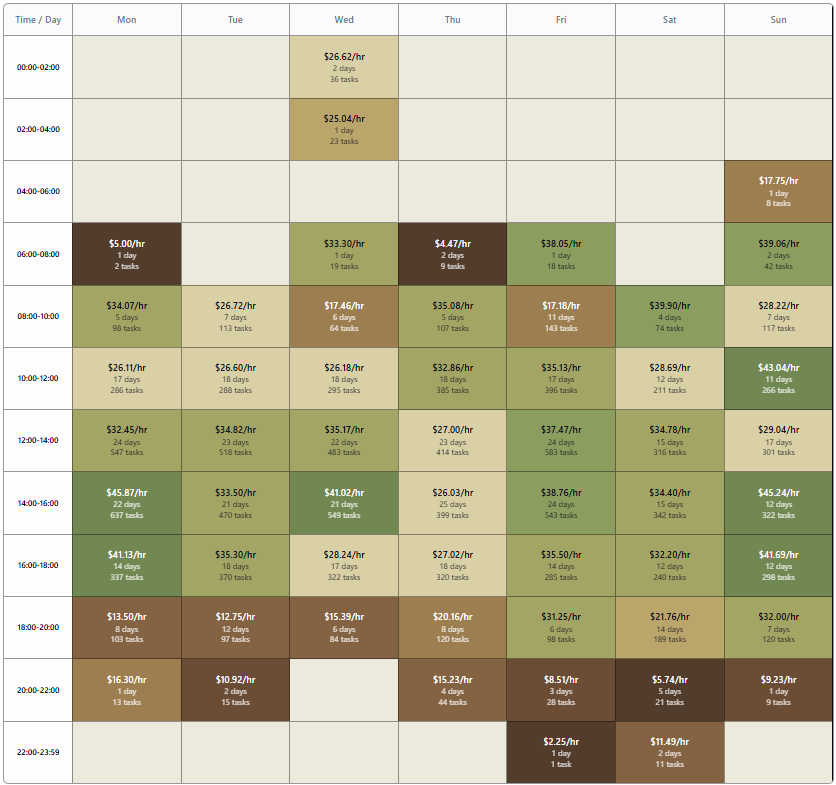
Hourly Heatmap: Your Best Hours at a Glance
The heatmap lays out your own dollars per hour by day of the week and time of day, color-coded by earnings. Compare weekdays vs. weekends and identify slow periods to avoid wasting gas and time.
- See peak hours color-coded by earnings potential
- Compare weekdays vs. weekends for optimal scheduling
- Identify slow periods to avoid wasting gas and time
Battery-Friendly Mileage Logging: Tax Savings Without the Drain
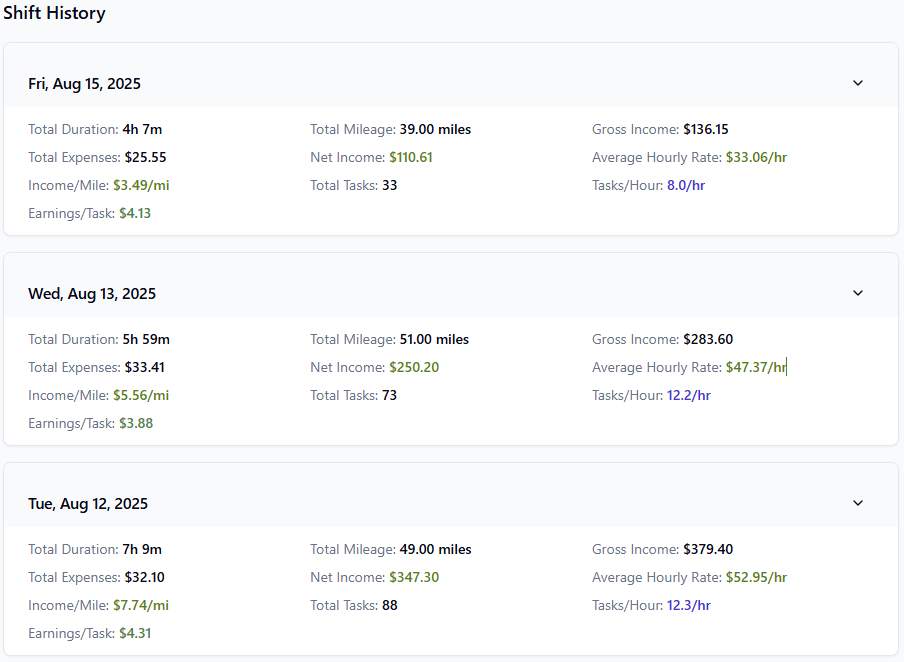
ShiftTracker uses odometer-based mileage logging instead of background GPS. Enter your starting and ending odometer per shift — the app calculates exact business miles for the 2026 IRS rates ($0.725/mile Jan-Jun, $0.76/mile from July 1). No second GPS service competing for your phone battery on top of the gig apps already routing you. The format the IRS specifically asks for in Publication 463.
- Quick odometer entry at shift start and end — no battery drain
- IRS Publication 463 compliant out of the box
- Export detailed mileage summaries by date range for Schedule C filing
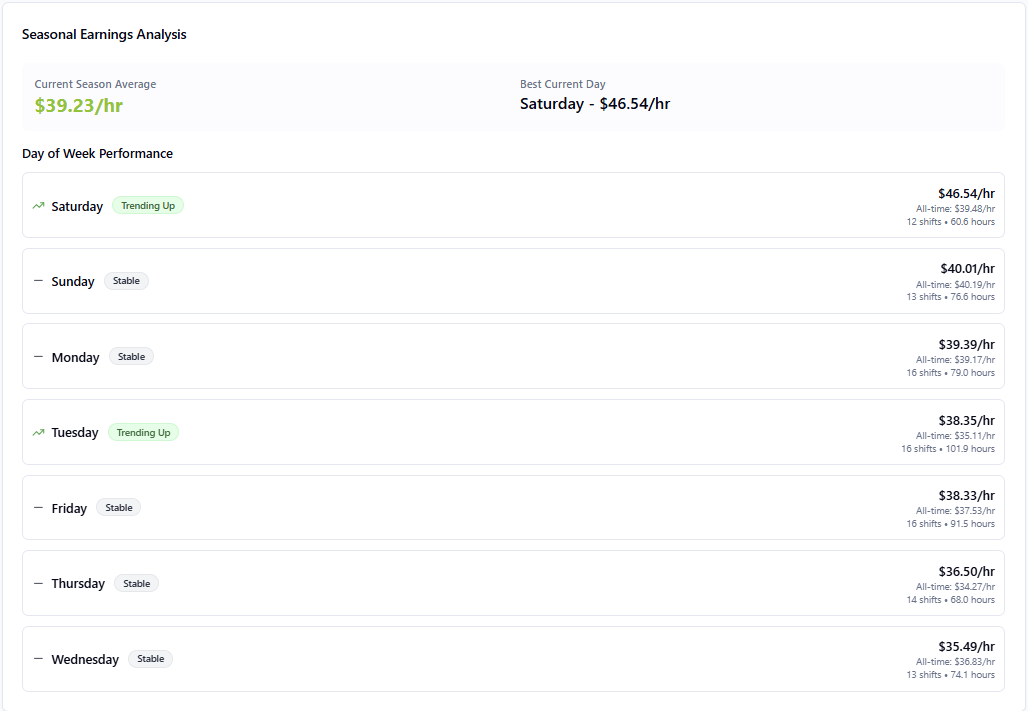
Shift Analytics: Spot Trends Before They Impact Earnings
Performance insights from your own shifts. Track earnings per hour, your daily and weekly pace against a weekly goal, and which gig apps pay you best.
- Track earnings per hour across different time periods
- See your pace against a weekly goal
- Compare which gig apps pay you best, gross and after car costs
Common questions about features
How does the Hourly Heatmap help me earn more?
How does ShiftTracker log mileage?
Can I track multiple gig platforms?
Start tracking smarter today
Join 1,100+ gig workers who use ShiftTracker to find their best hours and maximize take-home pay.